Year
2025
Role
UX, Visual, Content Design
Team
Product Manager, UI/UX Designer, Front-end Developers
Platform
Mobile, Web
Designing a Homepage
OVERVIEW
The current calculator-centric landing screen is overloaded with features that have been added over time without dedicated real estate. This creates clutter, reduces clarity, and pushes secondary features into spaces that undermine the calculator’s core functionality. With ~12% of customers using accessibility mode and ~20% on smaller screens, key actions become increasingly difficult to navigate.
THE CHALLENGE
Introducing a homepage unlocks new screen real estate, raising a strategic question: beyond visual decluttering, what other pain points can we solve with this opportunity?
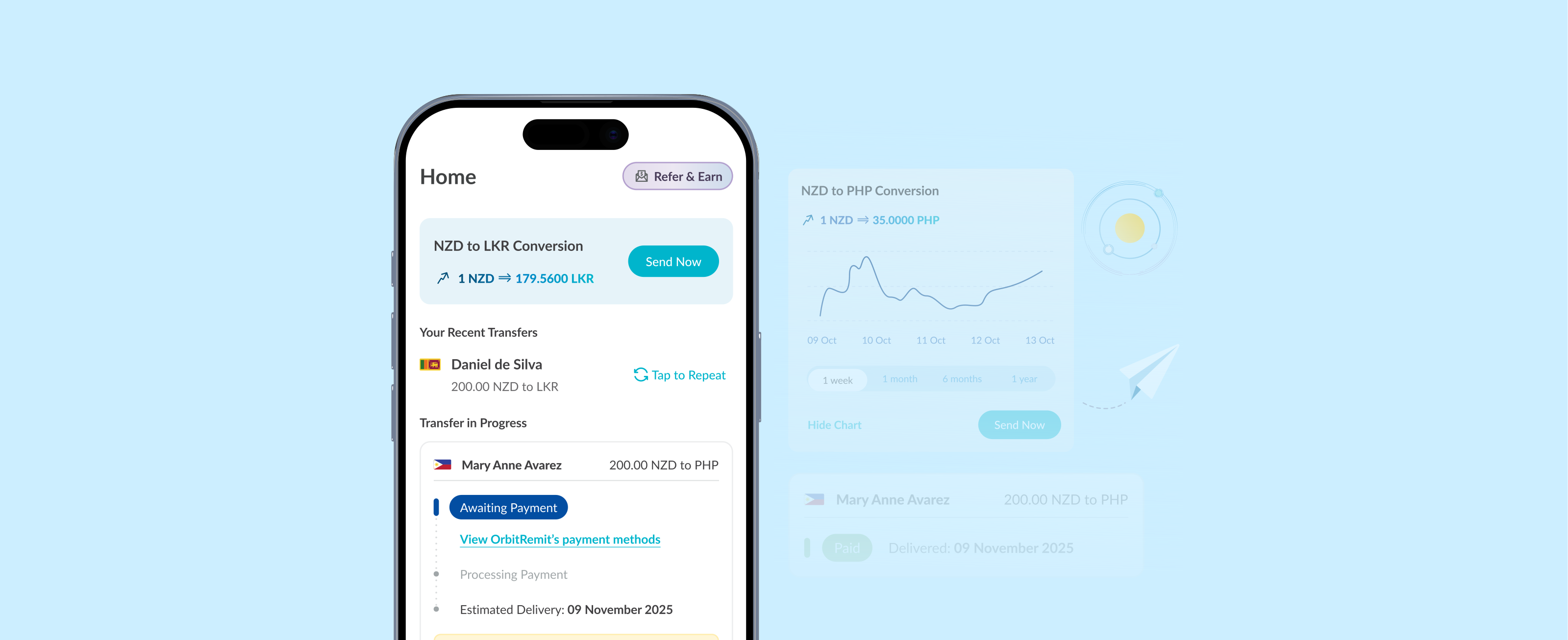
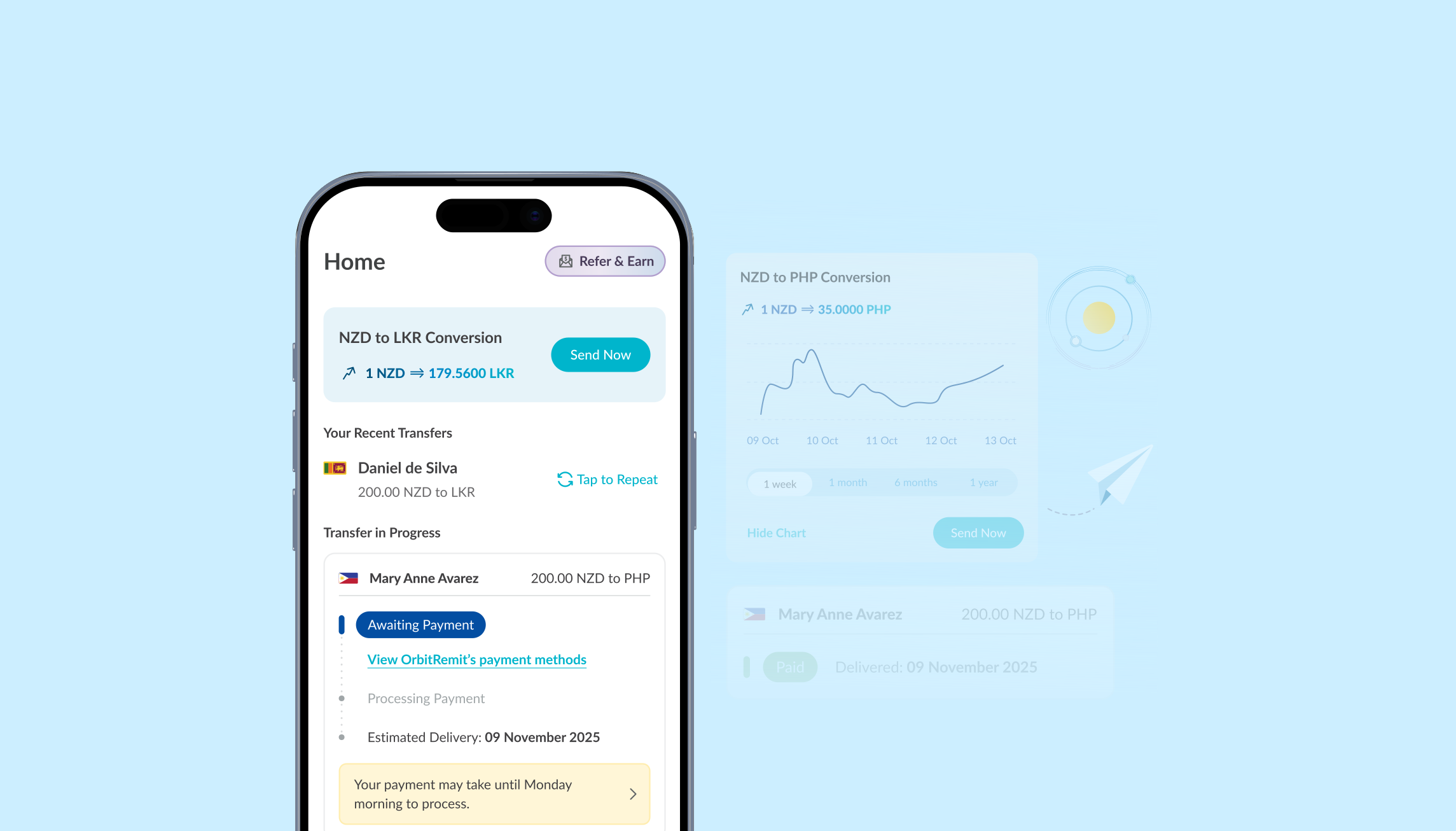
By introducing a homepage, we aimed to surface key information upfront, reduce support outreach, and deliver a more reassuring and intuitive experience from the moment users open the app. One major issue we wanted to tackle is the lack of real-time visibility into transfer progress. Currently the transfer timeline is buried within the Transfers tab and offers limited reassurance about where the money is in the process. This lack of clarity leads to user frustration and drives a surge in support tickets.
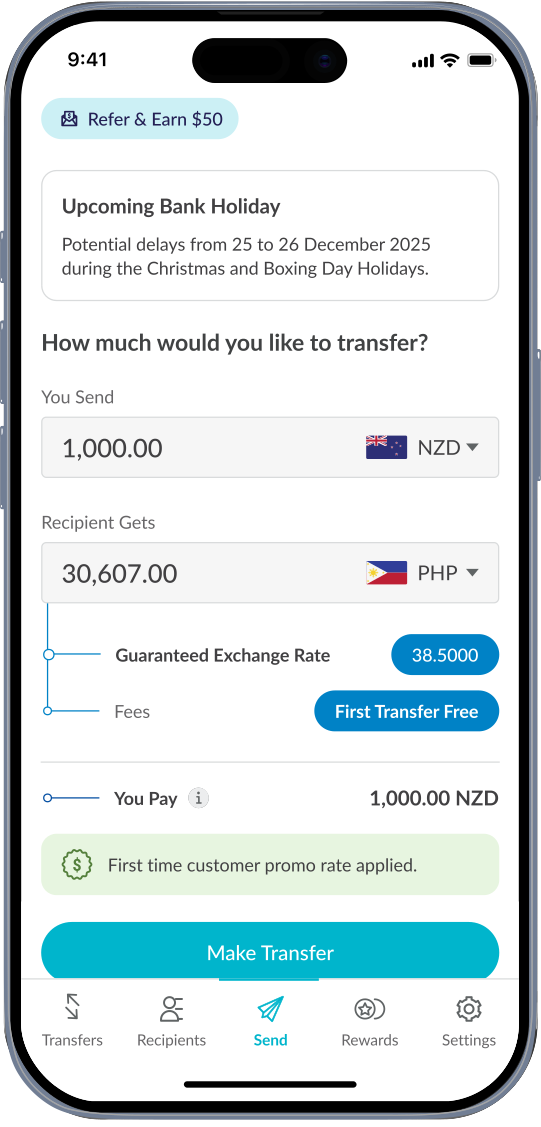
The current calculator design: overcrowded and distracting from its core function.
WHY THIS MATTERED
Build Trust: Real-time transfer updates reduce anxiety, especially during the first few hours after sending
Enable Scale: A modular homepage prevents new features from crowding core workflows
Improve UX Quality: Layouts aligned with Apple's HIGs improve navigation and predictability
Reduce Support Load: Addressing common ticket themes (e.g. "Where’s my money?") reduces CX overhead
RESEARCH & INSIGHTS
We reviewed the common themes across 600 customer support tickets and data over three months.
Our key findings:
52% of post-transfer queries were about time delays
Majority of contacts occurred within 3 hours of transfer creation
Main ticket themes:
1. Rate-Sensitive Harvesters
Create multiple transfers to “phish” for better rates.
Confusion about how to fund the transfer.
Uncertainty about when the money will move.
Mistakes in recipient details or transfer amounts that result in refunds.
Customers seek reassurance after a previous error via sending screenshots.
These insights confirmed a core user need: real-time reassurance right after sending money.
OUTCOME (SO FAR)
Design concepts have been validated through internal testing.
Early copy and layout iterations show promise in reducing confusion.
Full implementation is on hold due to current engineering constraints.
Internal alignment is ongoing.
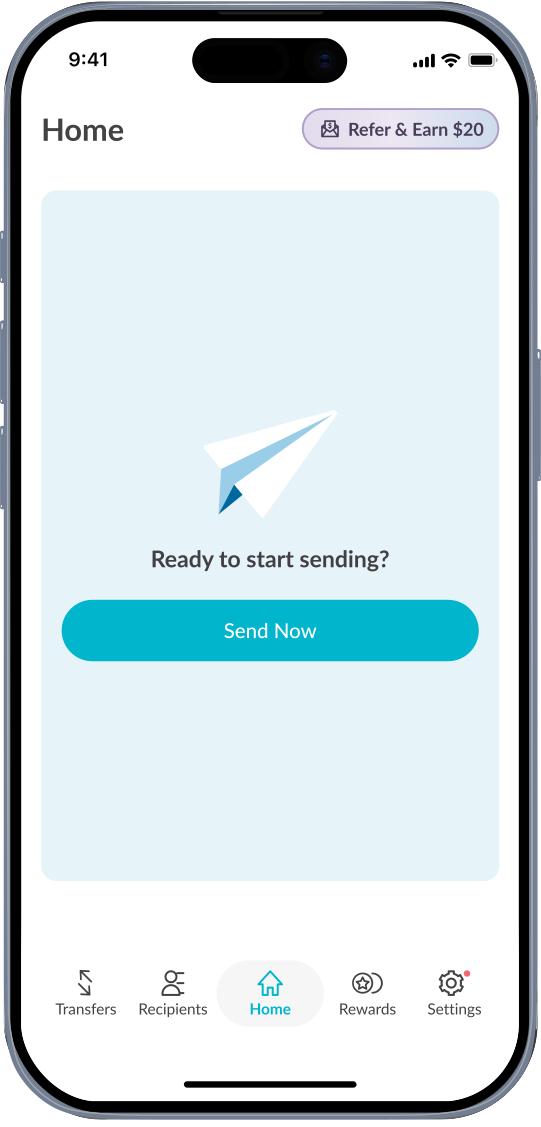
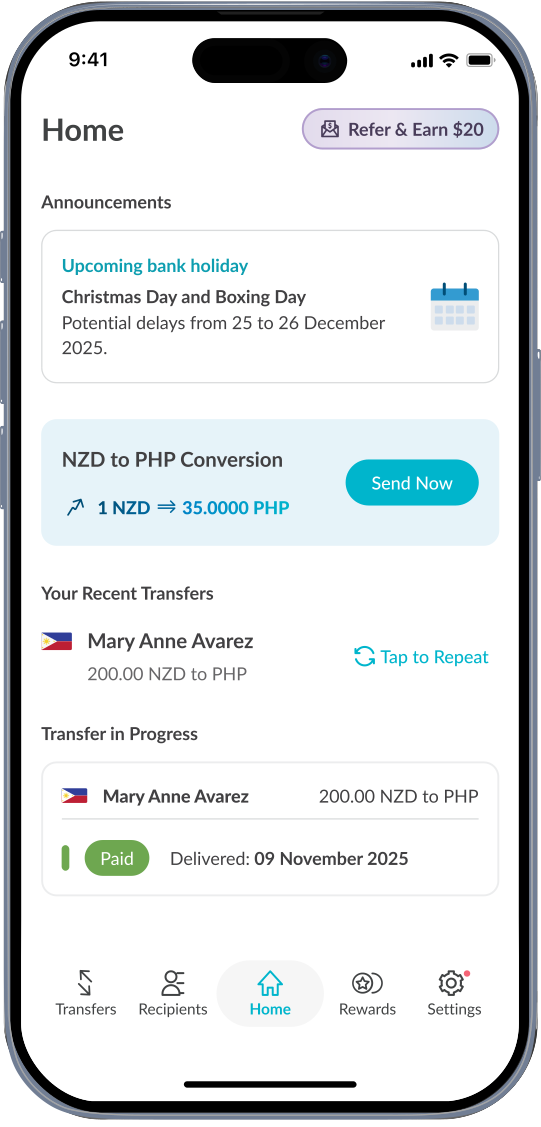
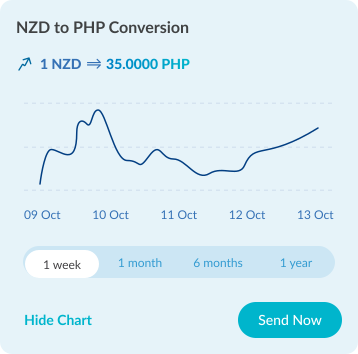
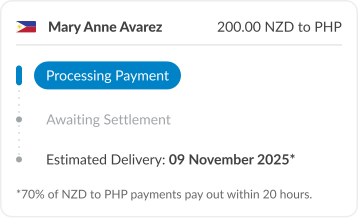

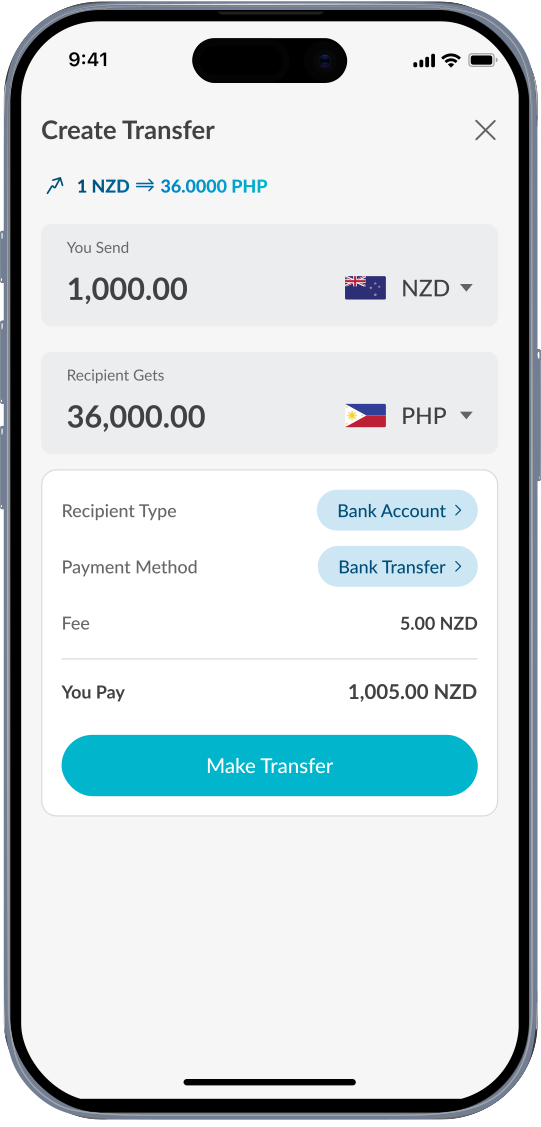
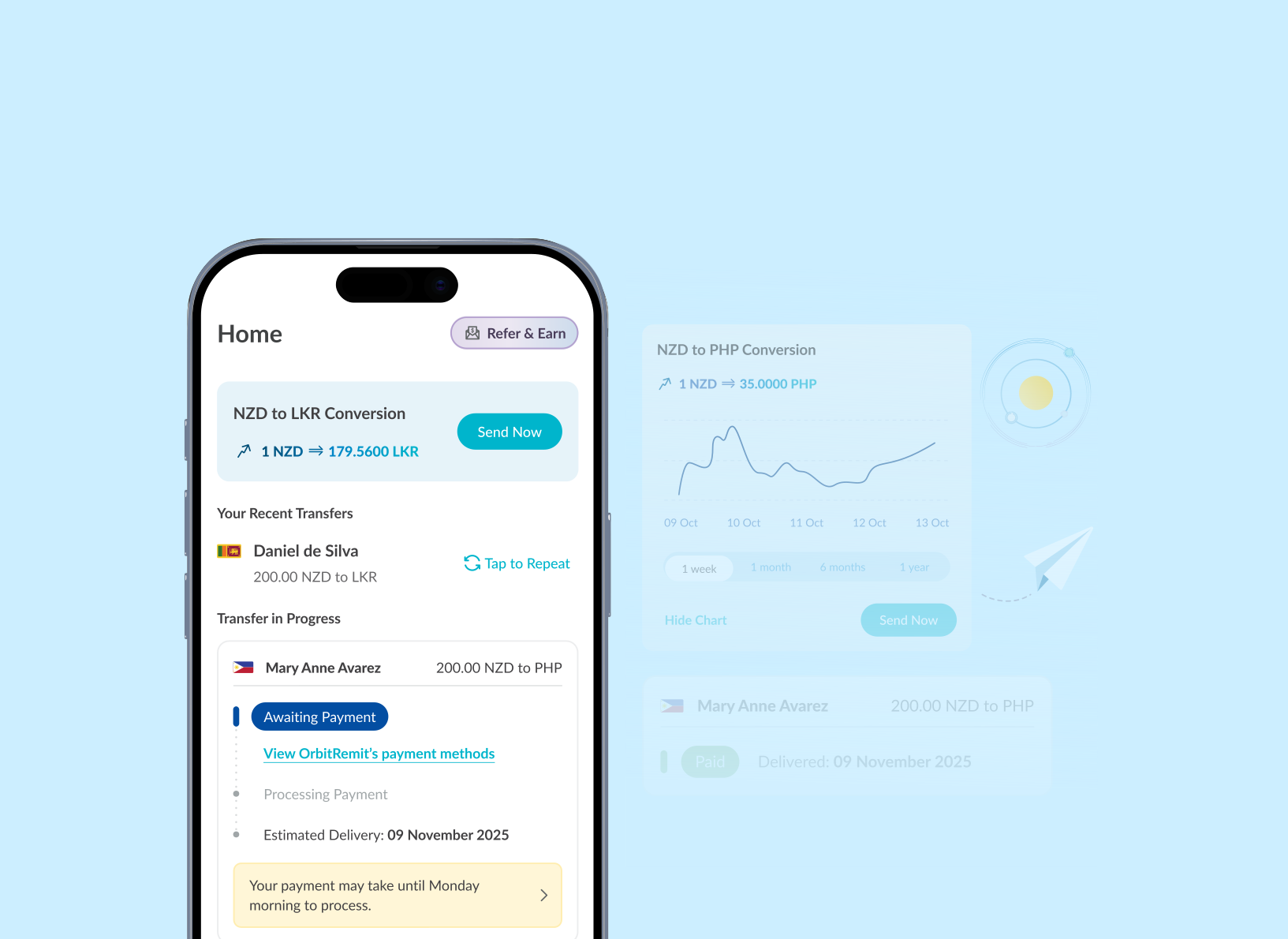
Final screens showcasing homepage and core components. This opens the door to a cleaner, focused calculator design, laying the groundwork for personalised pricing that better serves customer and drives business growth.

To introduce a moment of delight, I created a subtle refresh animation to the homepage. When users pull down to refresh, they’re met with an orbit animation. It acts as a small visual cue that not only reinforces the brand’s personality but also makes a routine action feel satisfying without distracting from the core task.
CONCLUSION
As the anchor of the experience, a well-structured homepage not only simplifies navigation but also gives users what they value most: trust, clarity and usability. It can provide peace of mind and reduce operational friction in the money transfer journey.
While not yet scheduled for development, this concept lays the groundwork for a more scalable and user-centred experience.
Designing a Homepage
© April Liau 2025
Back to recent works
© April Liau 2025
Back to recent works
© April Liau 2025
Back to recent works
© April Liau 2025
Back to recent works
© April Liau 2025
Back to recent works
Role
UX, Visual, Content Design
Year
2025
Team
Product Manager, UI/UX Designer, Front-end Developers
Platform
Mobile, Web
OVERVIEW
The current calculator-centric landing screen is overloaded with features that have been added over time without dedicated real estate. This creates clutter, reduces clarity, and pushes secondary features into spaces that undermine the calculator’s core functionality. With ~12% of customers using accessibility mode and ~20% on smaller screens, key actions become increasingly difficult to navigate. Additionally, customers have limited visibility on the status of their transfers, resulting in increased support tickets related to delays and transfer uncertainty.
THE CHALLENGE
Introducing a homepage unlocks new screen real estate, raising a strategic question: beyond visual decluttering, what other pain points can we solve with this opportunity?
One major issue is the lack of real-time visibility into transfer progress. Currently the transfer timeline is buried within the Transfers tab and offers limited reassurance about where the money is in the process. This lack of clarity leads to user frustration and drives a surge in support tickets, many submitted within just three hours of initiating a transfer. By introducing a homepage, I aimed to surface key information upfront, reduce support outreach, and deliver a more reassuring and intuitive experience from the moment users open the app.
WHY THIS MATTERED
Build Trust: Real-time transfer updates reduce anxiety, especially during the first few hours after sending
Enable Scale: A modular homepage prevents new features from crowding core workflows
Improve UX Quality: Layouts aligned with Apple's HIGs improve navigation and predictability
Reduce Support Load: Addressing common ticket themes (e.g. "Where’s my money?") reduces CX overhead
OUTCOME (SO FAR)
Design concepts have been validated through internal testing.
Early copy and layout iterations show promise in reducing confusion.
Full implementation is on hold due to current engineering constraints.
Internal alignment is ongoing.
CONCLUSION
As the anchor of the experience, a well-structured homepage not only simplifies navigation but also gives users what they value most: trust, clarity and usability. It can provide peace of mind and reduce operational friction in the money transfer journey.
While not yet scheduled for development, this concept lays the groundwork for a more scalable and user-centred experience.
RESEARCH & INSIGHTS
We reviewed the common themes across 600 customer support tickets and data over three months.
Our key findings:
52% of post-transfer queries were about time delays
Majority of contacts occurred within 3 hours of transfer creation
Main ticket themes:
1. Rate-Sensitive Harvesters
Create multiple transfers to “phish” for better rates.
Confusion about how to fund the transfer.
Uncertainty about when the money will move.
Mistakes in recipient details or transfer amounts that result in refunds.
Customers seek reassurance after a previous error via sending screenshots.
These insights confirmed a core user need: real-time reassurance right after sending money.
The current calculator design: overcrowded and distracting from its core function.
Final screens showcasing homepage and core components. This opens the door to a cleaner, focused calculator design, laying the groundwork for personalised pricing that better serves customer and drives business growth.
To introduce a moment of delight, I created a subtle refresh animation to the homepage. When users pull down to refresh, they’re met with an orbit animation. It acts as a small visual cue that not only reinforces the brand’s personality but also makes a routine action feel satisfying without distracting from the core task.
Designing a Homepage
© April Liau 2025
Back to recent works
© April Liau 2025
Back to recent works
Next Project: Suspicious Transfer Report Interface